
Schedule a Showing
Showings are a touring activity, not a state change. A lead actively touring is still in QUALIFIED — the canonical state covers everything from “saved searches” through “walking properties this weekend.” Recording a showing logs the activity, adds a temperature signal, and gives the timeline an honest record of what you did, but it does not move the card to a new column.
- Open the lead’s detail page from the QUALIFIED column.
- There is no showing action in the Lifecycle card; from
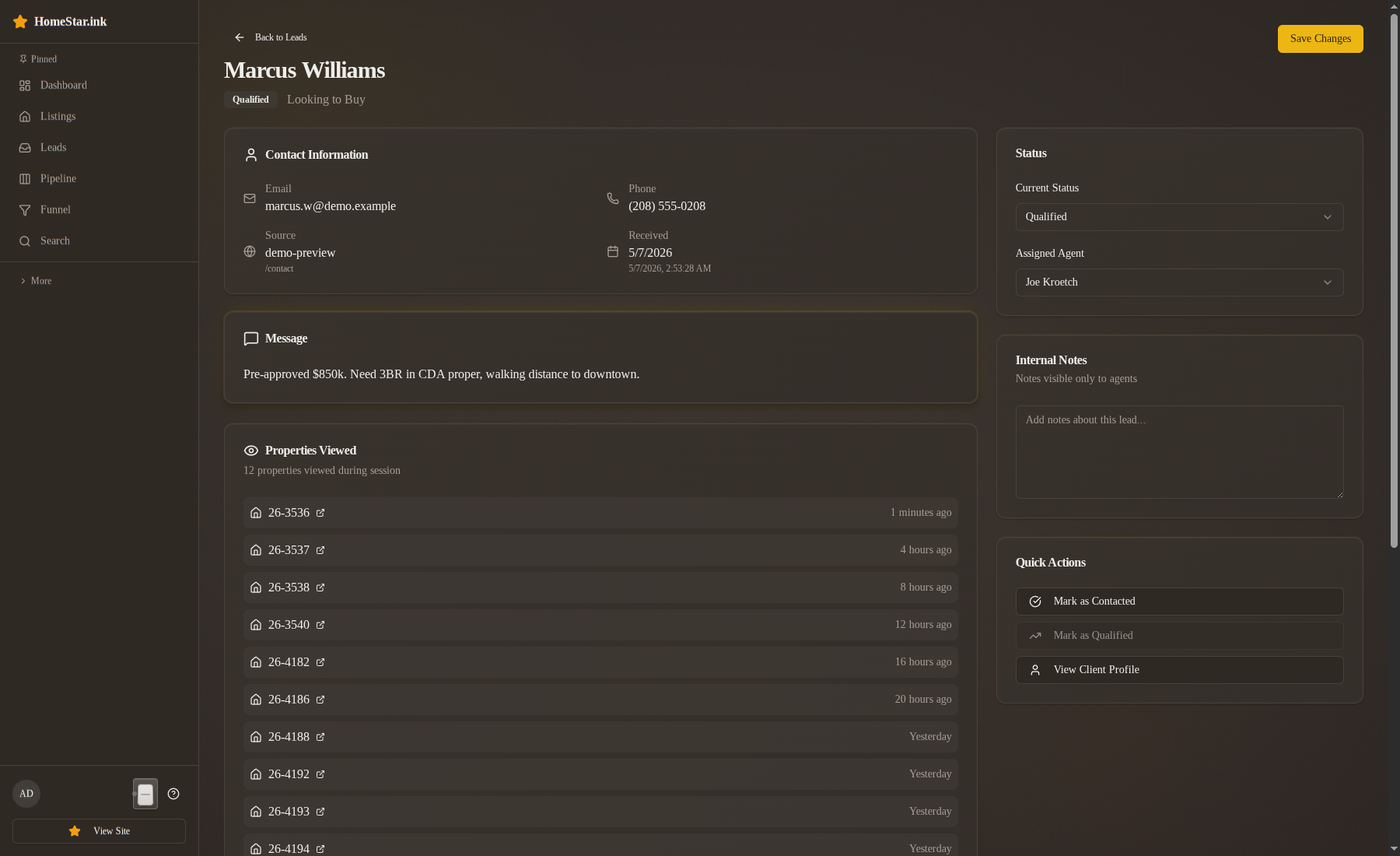
QUALIFIEDthe only buttons are Buyer agreement signed and Archive: no progress. Record the showing in the Internal notes field of the Assignment & Notes card instead. - Write a dated line with the property reference (address or MLS ID) and what happened: what you walked, what they liked, what they didn’t.
- Click Save changes.
What changes when you save
Section titled “What changes when you save”- The note is saved on the lead. It is not a timeline row; the timeline is for stage changes and contact events.
- The temperature score does not move because of your note. It moves because of the lead’s own behaviour, and a lead who requested the tour through the site or favourited the listing has already been counted.
- The lead stays in
QUALIFIED. No column movement.
A worked example
Section titled “A worked example”Marcus Williams is in QUALIFIED at a Hot temperature around 92. His timeline already shows favorites, sessions, and an earlier tour request. Logging a Saturday showing of one of his favorites does three things:
- Leaves a dated note of what you walked for the next person who opens the card
- Leaves his temperature alone; his own tour request and favourites are what keep him Hot
- Leaves Marcus in
QUALIFIED, where he was
If the showing produced a buyer’s agreement signature, that is a separate event — see draft an offer.
Multiple showings, one lead
Section titled “Multiple showings, one lead”Keep one dated line per showing in Internal notes. A lead might have five showings before they decide on a property; the notes capture all five with their property references, and the next agent can read them in order.
What this does NOT do
Section titled “What this does NOT do”- It does not change the pipeline state.
QUALIFIED → COMMITTEDrequires a signed buyer’s agreement, not a showing. - It does not assign the property to the lead in any exclusive sense. The activity row is a log, not a reservation.
- It does not notify the listing agent or schedule access. That’s outside the pipeline — coordinate the showing through your usual channels first, then log it after.
Related
Section titled “Related”- Qualify a lead — the step before touring starts
- Draft an offer — what to do after a showing produces an agreement
- Temperature signals — where showings sit in the signal hierarchy