
Update Communication Preferences
A lead asked you to stop emailing them but said text is fine. Use the granular flag, not the broad one. Setting dnc to mean “stop emailing” over-blocks; setting unsubscribed only stops marketing email and leaves personal email open. Neither matches what the lead actually asked for.
Pick the right flag
Section titled “Pick the right flag”| The lead said… | Flip this switch | Flag | What it blocks |
|---|---|---|---|
| ”Stop emailing me, text is fine” | No Email | do_not_email | All email — automated and personal |
| ”Stop calling me, email is fine” | No Call | do_not_call | All voice calls |
| ”Stop texting me” | No Text | do_not_text | All SMS |
| ”Take me off your newsletter” | Unsubscribed | unsubscribed | Marketing email (newsletters, drips, market reports) only — personal email still allowed |
| ”Don’t contact me at all” | Do Not Contact | dnc | All automated outreach across all channels; manual contact requires a logged reason |
The granular flags (do_not_email, do_not_text, do_not_call) match a lead’s narrow request without taking other channels off the table. Reach for dnc only when the request is genuinely “all channels off.”
- Open the lead’s detail page.
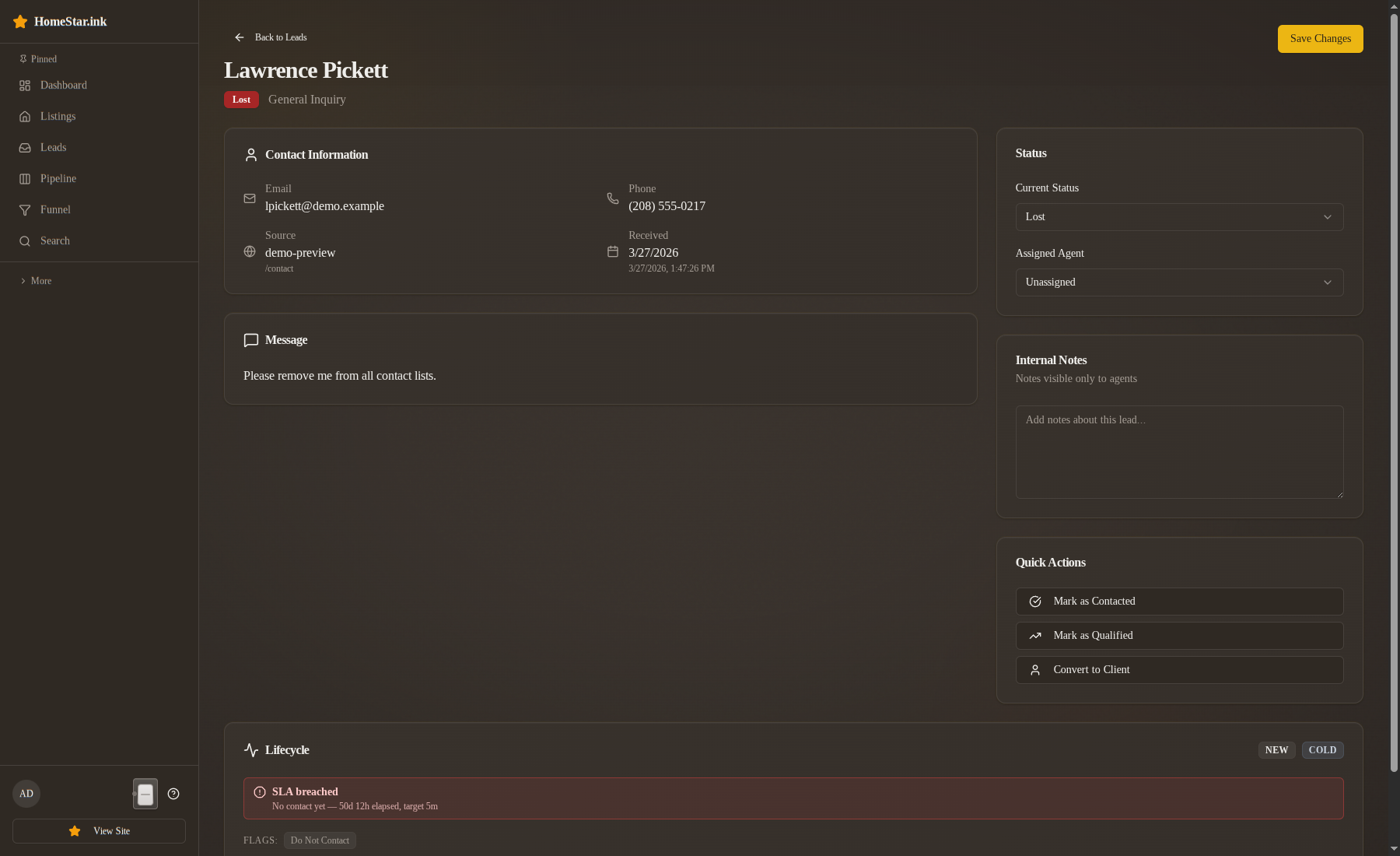
- Scroll to Communication preferences at the bottom of the Lifecycle card. There are five switches, in this order: Do Not Contact, Unsubscribed, No Call, No Text, No Email. Each has a one-line description under it, for example “Blocks every channel. Set only when they asked.” under Do Not Contact and “Marketing email stops. Transactional mail and other channels still flow.” under Unsubscribed.
- Flip the switch that matches what the lead asked for. It takes effect immediately and a toast confirms it. There is no save button, and the switch does not ask for a reason.
- Put the context where the next person will find it: the Internal notes field in the Assignment & Notes card, for example “Lead asked by phone 2026-05-17 to stop email; text and voice OK.” Click Save changes.
What changes after the flag is set
Section titled “What changes after the flag is set”- A chip appears on the lead’s board card (Do Not Contact in red). On the detail page a red warning line appears at the top of the Lifecycle card, above the Next step buttons, for example “Do Not Contact is set on this lead. Do not reach out.”
- The flag record stores who flipped it and when. It is not a timeline row; the timeline is for stage changes and contact events.
- Do Not Contact and No Call also hide the Call link on the board card.
- Future automated outreach respects the block. The exact behavior depends on which flag: see communication flags for the full effect table.
- The pipeline state and temperature are unchanged. Flags are a third, independent dimension.
Clearing a flag
Section titled “Clearing a flag”When the lead later resubscribes — “actually, email is fine again” — clear the flag rather than deleting it.
- Open the lead’s detail page and scroll to Communication preferences.
- Flip the switch off. The toast confirms it.
- Add a line to Internal notes: “Lead reauthorized email by phone 2026-05-22.”
The active record is marked cleared rather than deleted. Both the original set and the clear stay on the record; the flag is no longer in effect.
You can re-set the same flag later — unsubscribed → cleared → unsubscribed again is valid. The partial unique index only enforces “at most one active flag per type per lead,” so historical re-sets are preserved.
A worked example
Section titled “A worked example”Ethan Brooks in the demo dataset already has an active unsubscribed flag. Suppose he texts you tomorrow asking to stop receiving text messages too — “email me, don’t text me.”
Flip No Text on and add “Lead asked by text 2026-05-18 to stop SMS, email OK.” to his Internal notes. He now has two active flags. The composition rule: marketing email is off (from unsubscribed) and all SMS is off (from do_not_text). Personal email is allowed; phone calls are allowed.
If Ethan had asked for “no email and no text,” you’d set do_not_email in addition to do_not_text rather than upgrading to dnc. dnc is broader — it requires a logged reason for any manual contact at all, even a callback he asked for.
What flags do NOT do
Section titled “What flags do NOT do”- They don’t move the lead between columns. State and flags are independent.
- They don’t recalculate the temperature score directly. Engagement decay still applies normally.
- They don’t expire automatically. A flag stays active until someone clears it.
Related
Section titled “Related”- Communication flags — the full reference table, including composition rules
- Record first contact — always check flag chips before reaching out
- State machine card — the pipeline dimension that flags don’t affect