
View my data
The link in the footer of the card goes to /my-data, which lists every preference and note Scribe holds for you.
This page is in two halves. The first is for a visitor on a brokerage site. The second is for the agent who receives the lead. If you want to know why Scribe works the way it does, read Understanding Scribe instead.
Scribe is the rounded button in the bottom-right corner with a feather and a name (the brokerage may have renamed it). It is there from your first page. A small dot on the feather means Scribe has written something down since you last opened it. The dot goes away when you open the card; it never blinks.

On a phone the card rises from the bottom of the screen. On a wider screen it opens as a card in the corner so the listings stay visible beside it.
Open the pill early and you get “Still taking notes” with three thin bars:
| Bar | What fills it |
|---|---|
| Homes opened | Distinct listings you have opened. Reloading one listing three times counts once. |
| Time looking | Minutes since your first page on the site. Hidden when the brokerage has set it to zero. |
| How sure I am | The average confidence of the notes Scribe would show. Reads as a percentage against the required one. |
A bar that is full reads “Done”. When all three are full the card changes on its next refresh, which happens every 30 seconds while it is closed and once each time you open it. Three listings and two minutes is the usual amount.
You do not have to wait. The thread is under the bars, and telling Scribe what you want (“five bedrooms under a million”) gives it notes straight away. See Telling Scribe directly.
Once ready the card is headed “What I have so far”. Each line is one thing Scribe noticed, strongest first:

Darker text and a heavier rule beside a line mean more evidence behind it. A line with a strike through it (“Over $1M, not for you”) is something you skipped past three or more times. A line beginning “You told me:” is something you said in the thread; it outranks every guess. Under the lines are chips with the same notes in short form.
Under the notes is a line, “Or just tell me. Five bedrooms, near a school, room for a shop.”, and a box that reads “Tell me what you’re after”. This is the thread.
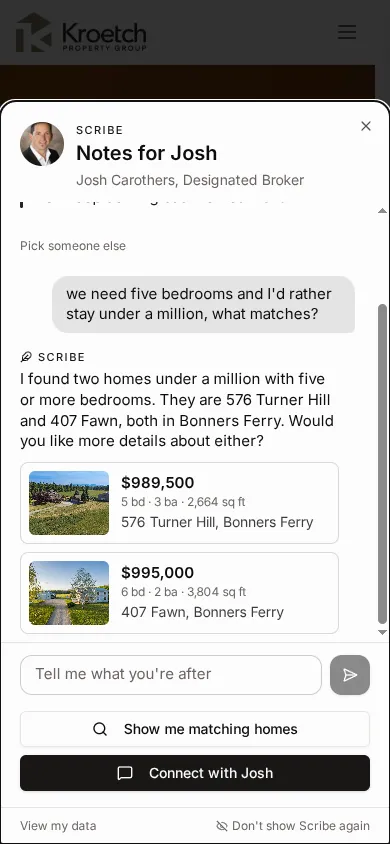
What changes as you talk:
Stop. While a reply is on its way, the send button becomes a square Stop. Press it to keep what has arrived and get the box back. The reply still finishes on the server, so the full answer is there the next time you open the card.
Coming back. The thread is stored with your session, not the tab. Close the card, reload the page, or come back tomorrow: it opens on the newest line. Once the thread has lines, the notes above it shrink to three sentences to leave room. “Delete everything” on /my-data removes the thread along with the rest.
A ceiling. One session can send forty messages in an hour. Past that, Scribe answers “That is a lot of questions for one hour. Give it a little while.” and the box comes back after a break.
If it cannot answer. The reply reads “Scribe could not answer just now.” with a link to the site’s regular contact page. Your line is kept in the thread; send it again in a moment.
On sites where the brokerage has turned the thread off, a box labelled “Anything I missed?” appears in its place. It is for the things no listing page reveals: a school district, a workshop, an accessible entrance, a view. Whatever you type is saved when you move on, comes back if you return another day, and travels with you when you connect with an agent. In the thread, the same things are simply said (“room for a shop would be ideal”) and Scribe writes them down.
A search like “four or more bedrooms under a million” can match dozens of homes across a dozen towns. When that happens Scribe’s reply names a home or two and asks which area you prefer, and under the reply is a row of buttons: each town, with the number of matching homes in it, and a dashed “Somewhere else” at the end. The counts are for the whole match, not just the six cards shown.

The chips belong to that reply. Once you send anything after it, by chip or by typing, they go away; the reply keeps the count of homes it showed. The row shows at most six towns; if the match reaches further, “Somewhere else” is the way to name one that is not listed.
The link under the notes turns your notes into search filters: the price band, the town, minimum beds and baths, property type, square footage, lot size, and a pool if that is something you lingered on. On a phone it opens the search page with those filters set, and you can change any of them as usual. On a wider screen it opens the full view with the matches in the homes pane, headed “Matching your notes”. Asking the thread “what matches?” does the same search without leaving the card.
On a screen 768px or wider the card can open into a full view under the site header: your notes on the left, the conversation in the middle, and the homes on the right. It is the same session in a bigger frame; nothing is sent, saved or lost by opening or closing it.
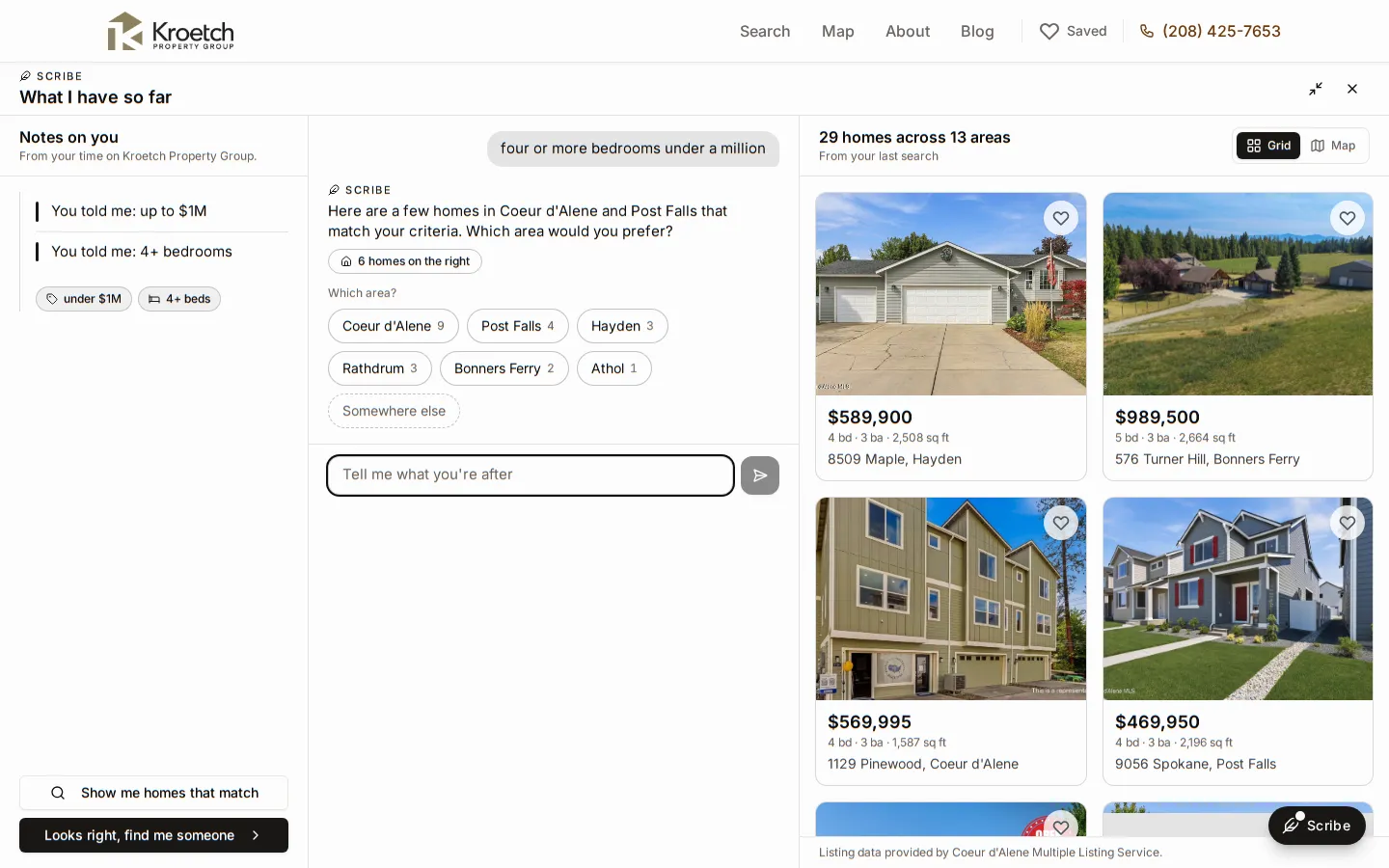
The site header stays usable above the view, and the page behind it does not scroll while the view is open.
The /scribe page. Every brokerage site also serves the full view as a page of its own at /scribe, with an ordinary browser tab and back button. Bookmark it or share it; it opens straight onto your notes and thread. /scribe?listing=26-9485 opens that listing’s panel and /scribe?view=map starts on the map; the address bar keeps up as you open listings and switch views. The page’s X takes you back to where you came from on the site, or to the home page. On a site where the brokerage has hidden Scribe, /scribe sends you to the home page.
On a tablet. Between 768 and 1023px wide there is no room for three columns, so the notes shrink to a strip of chips under the header with a notes button (“2 notes”) that opens the full page of notes as a sheet from the left. The conversation and the homes become two tabs, Conversation and Homes with the count. A reply that showed homes reads “6 homes in the Homes tab”, and pressing it switches tabs. Choosing an agent or connecting opens inside the notes sheet.
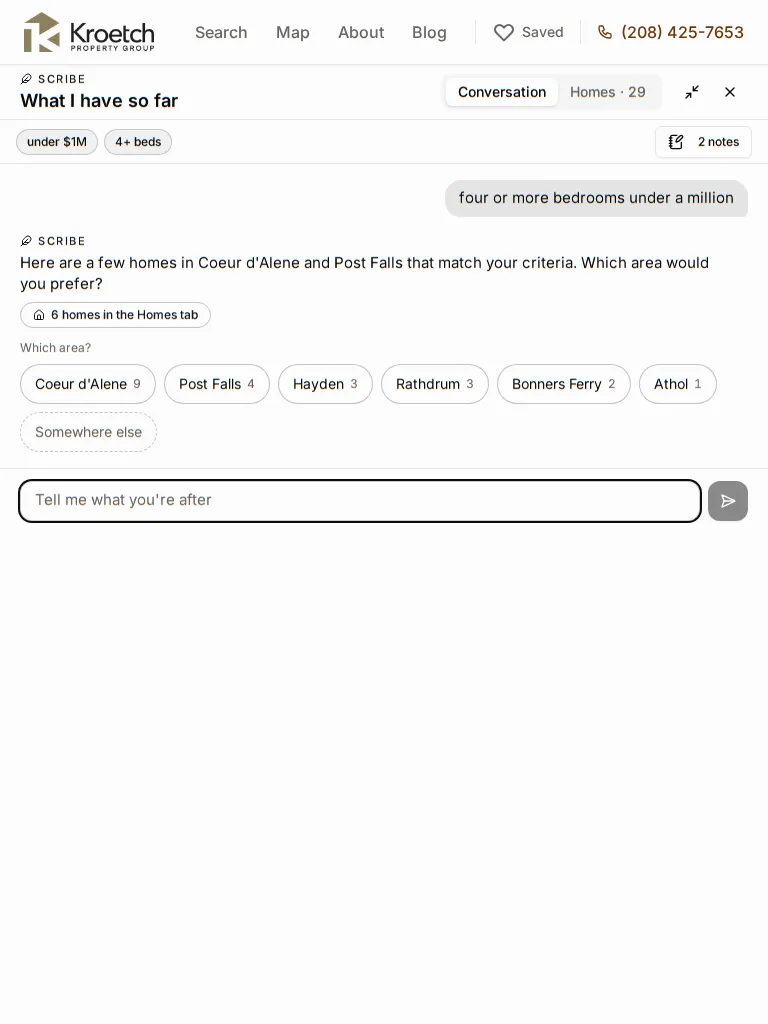
At 1024px the three columns are back with a narrower notes column, and a chevron folds it to a thin rail when you want the room for the homes.
On a phone. Under 768px nothing changes: the card is still the sheet from the bottom, cards sit inline in the thread, and the /scribe page is a single column with the notes as a disclosure above the thread.
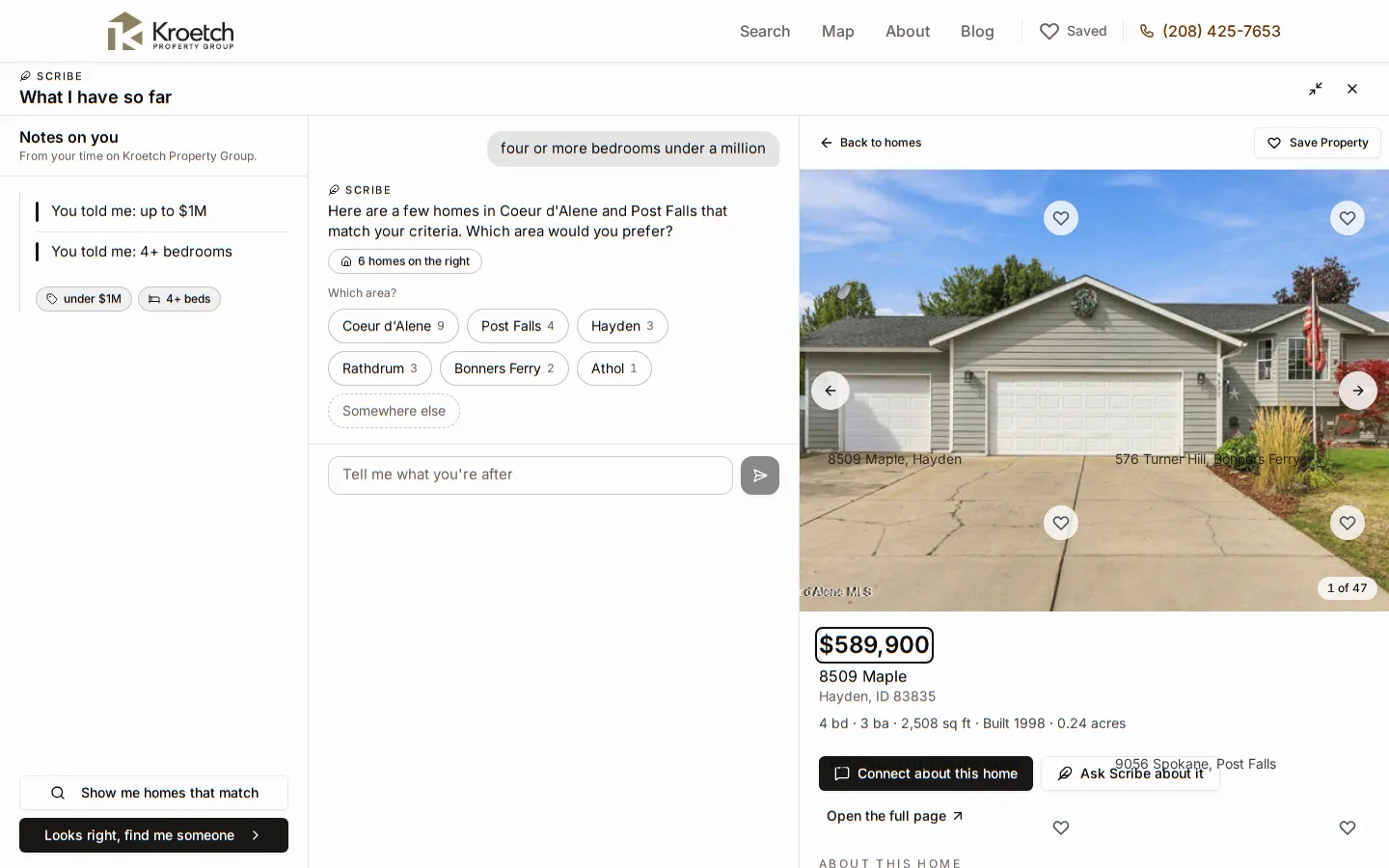
From the corner card on a wide screen, pressing a listing card in the thread opens the full view with that panel already open. On a phone a card opens the listing page as before.
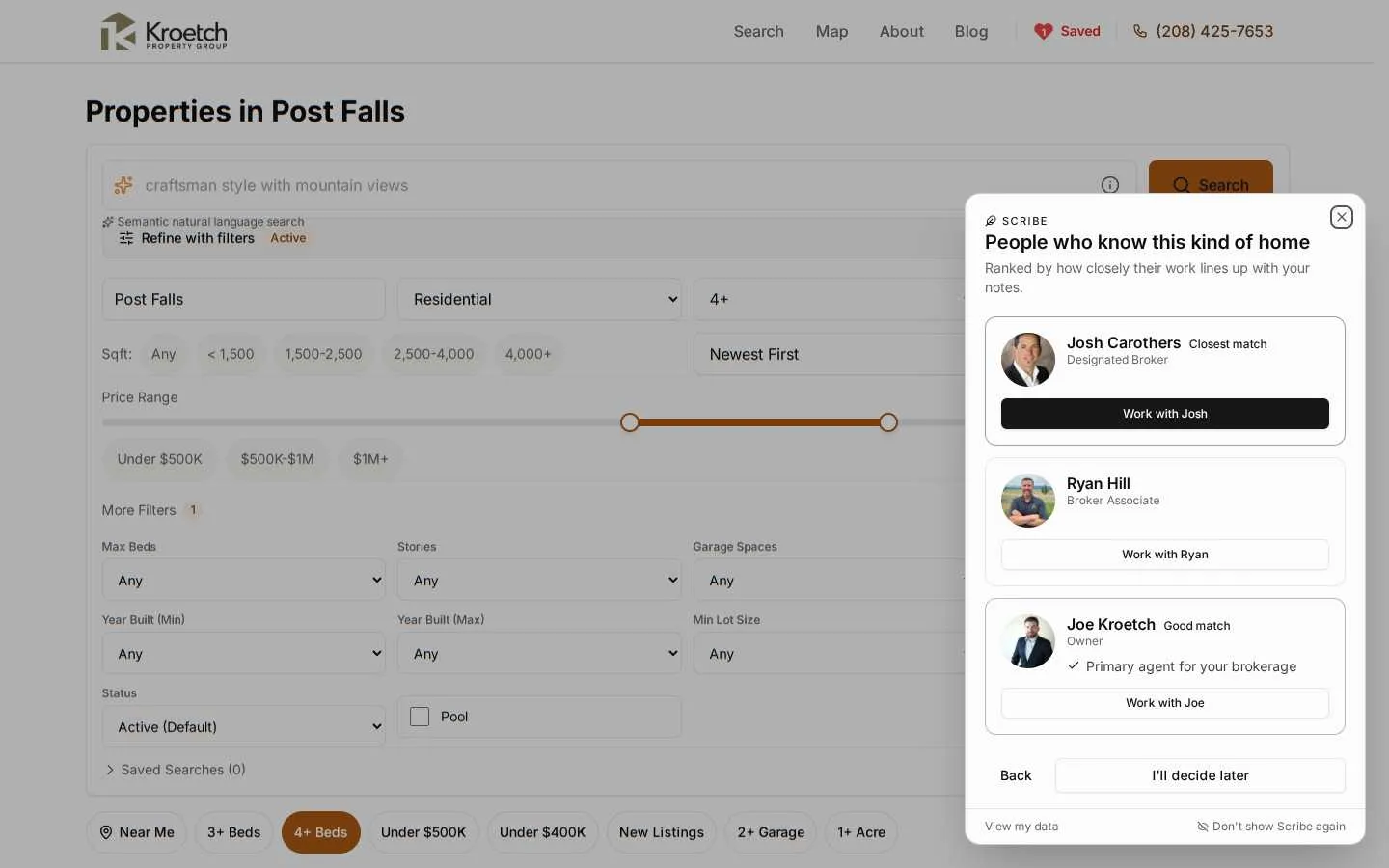
You can change your mind. “Pick someone else” under the notes fetches the list again. “I’ll decide later” puts the pill away for a day without choosing. Your choice is remembered on the site, so the next visit opens straight on that agent’s page.
Success shows the agent’s photo, “Sent to” their name, and where they will reach you. If the message does not go through, the reason is shown under the form with a link to the site’s regular contact page; nothing is lost.
View my data
The link in the footer of the card goes to /my-data, which lists every preference and note Scribe holds for you.
Not now
Puts the pill away for 24 hours on this browser.
Don't show again
Hides Scribe for good on this browser. The /my-data page has a switch to bring it back.
Delete everything
On /my-data, clears the whole session on the server: every event, preference, note and the thread.
A Scribe lead is a normal lead with three differences you can see on the lead page.
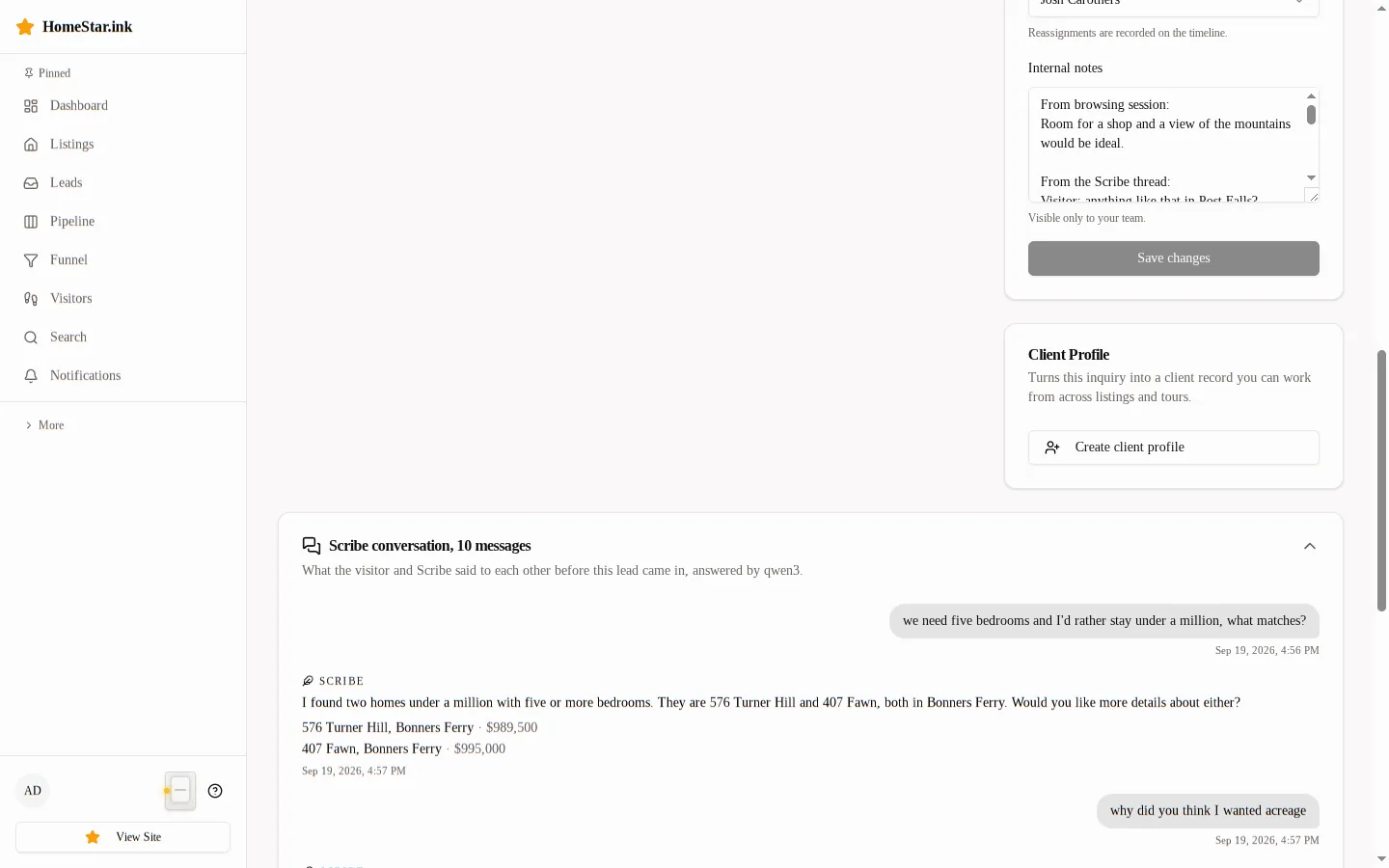
The timeline’s Lead received row carries a via scribe badge. The Agent assigned row carries chosen by visitor instead of the plain routed row, meaning the visitor read your profile and picked you over the others on the list. The lead’s notes field starts with “From browsing session:” followed by whatever the visitor typed in the card.
The message itself is the composed one the visitor saw before sending: what they were looking at, anything they kept returning to or skipping, their own notes, and a request that you reach out.
The client record linked to the lead is filled from the same notes when the confidence was high enough: budget range, minimum beds, preferred areas and property types. See Session to client sync for the exact rules.
If the visitor talked to Scribe before connecting, two more things are on the lead page.
The Internal notes field carries a block headed “From the Scribe thread:” after the browsing notes. It holds the last six lines of the conversation, each labelled “Visitor:” or with Scribe’s name on that site, so the gist is readable without opening anything. It is ordinary note text: you can edit or trim it like the rest.
Lower on the page, above the session replay card, is a collapsed card titled Scribe conversation, N messages, with the name of the model that answered. Expand it for the whole transcript: the visitor’s lines on the right, Scribe’s on the left, the listings Scribe showed as address links with the price, and a timestamp on each line. The transcript is read-only. A lead that came in another way shows no card at all.
Scribe ranks agents by comparing the visitor’s notes with the text of each agent’s matching profile. An empty profile ranks at the bottom with no reasons under the name. To be suggested, and to have reasons shown:
The steps are in Configure Your Profile. The reasons Scribe prints under your name come straight from those fields: a service area that contains the visitor’s town, a price range overlapping their band, a property type they keep opening.
Check, in order: your profile is active and receiving leads; the matching profile has been generated (an agent with criteria but no generated embedding is skipped by the ranking and only appears as filler); the text is specific enough to differ from your colleagues’. Two agents with the same three-word description rank identically.